
1
Install the product
Install Document Generator from the Google Workspace Marketplace and allow it to work with Sheets and Drive.
- Install from the marketplace listing.
- Open it from your Google Sheet.
Document Generator
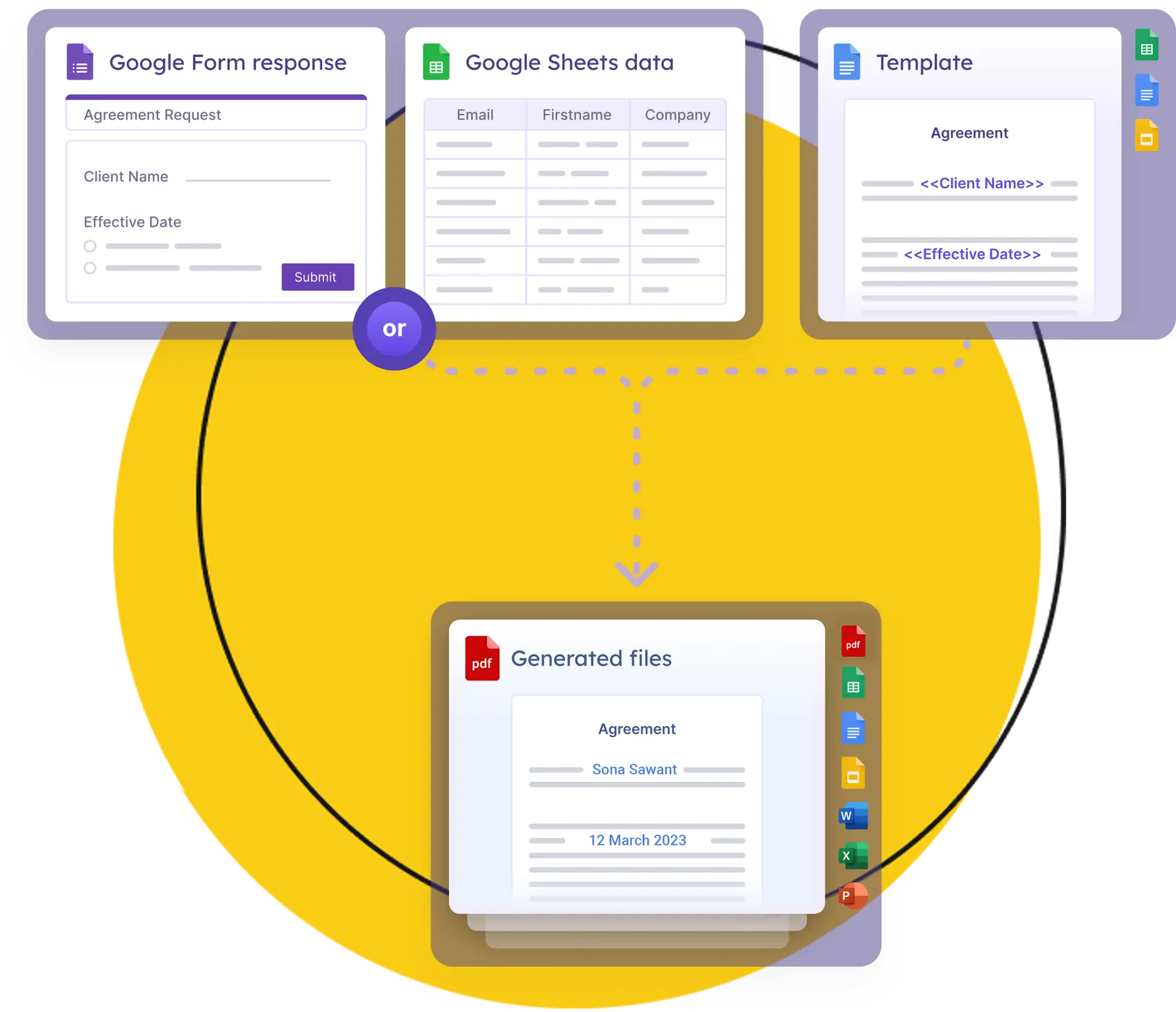
Start with a spreadsheet and template, then choose where the finished files should go.
Document template
Docs, Sheets, or Slides
Run options
Manual, after forms, or scheduled
Delivery
Drive plus outgoing messages
Install Document Generator from the Google Workspace Marketplace and allow it to work with Sheets and Drive.
Create a template in Google Docs, Google Sheets, or Google Slides and add placeholders that match your sheet columns.
Choose file formats, file names, destination folders, PDF options, and different templates for different cases.
Decide whether files should be saved to Drive only or also sent by email, SMS, or Telegram.
Run generation manually for selected data, automate on form submission, or use scheduled runs for repeatable work.
More control
Add these when your document workflow needs more than one template, delivery option, or run schedule.
Support questions
Yes. Each Google Sheet can have its own templates and setup choices.
Yes. You can choose conditions so different templates are used based on values in your spreadsheet.
Yes. Removing the existing generated link from the sheet lets the row be treated as new again.
Yes. Hourly and daily schedule options are available for repeatable generation.